We use cookies to run this site. With your consent, we also use them for our demo scheduler, analytics and marketing, including identifying the companies and people who visit us. Change your choice anytime under "Cookie Preferences".Privacy Policy
🚀 Dextr AI raised $6.7M to bring an AI workforce to hospitality. Learn more 🚀 Dextr AI raised $6.7M to bring an AI workforce to hospitality. Learn more
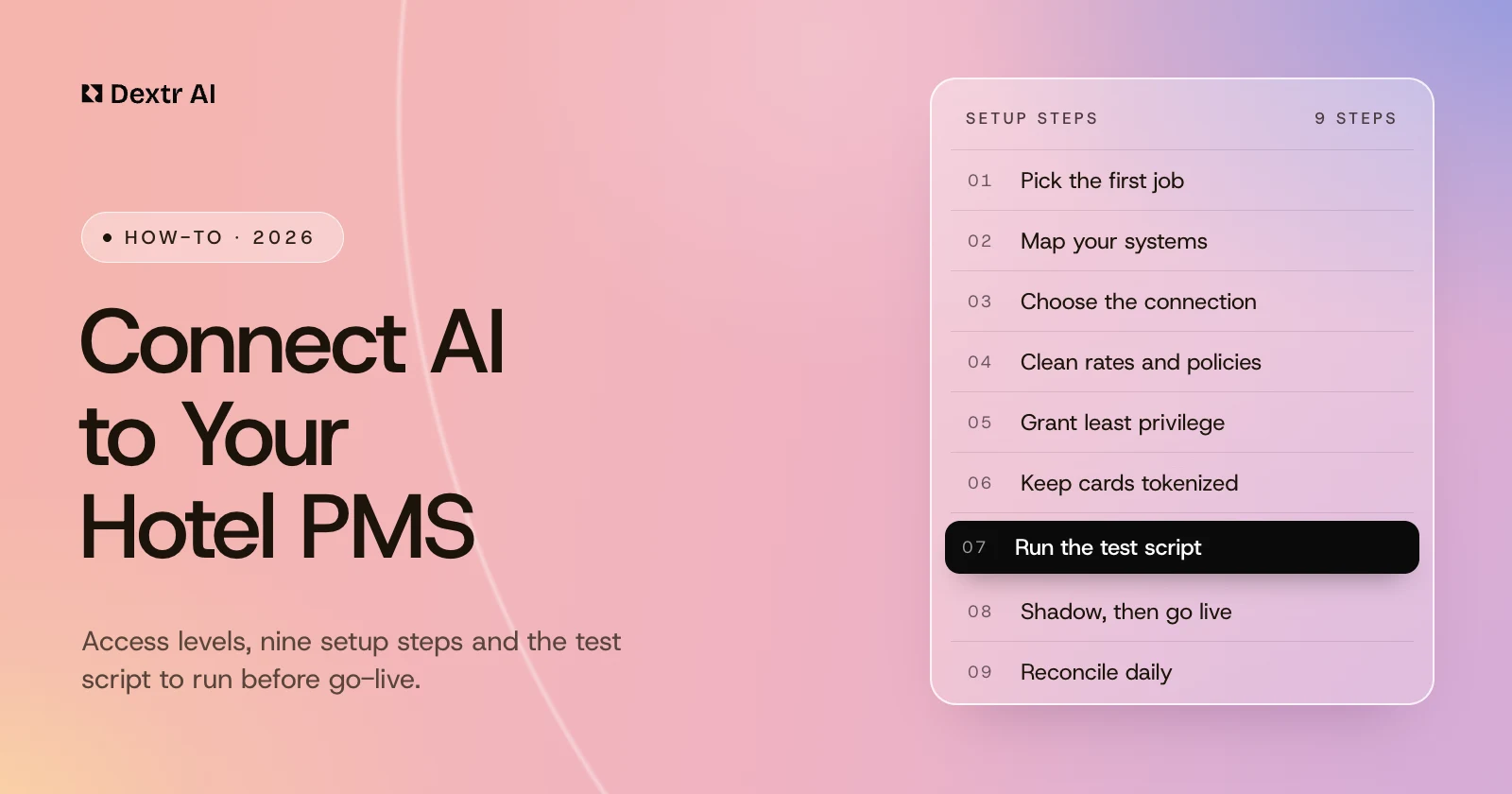
How to Connect AI to Your Hotel PMS: A Step-by-Step Setup Guide
An AI agent can only book, change or check what your property management system lets it see and touch. Here are the nine setup steps, the four levels of PMS access, how OPERA Cloud, Mews, Cloudbeds, Apaleo and others actually connect, and the test script to run before guests reach it.
To connect AI to your hotel property management system (PMS), pick one job for the AI and connect it through the PMS’s official API or app marketplace, with only the access that job needs. Then clean the rates and policies it will quote, keep card numbers out of the conversation, and test it in shadow mode before it goes live.
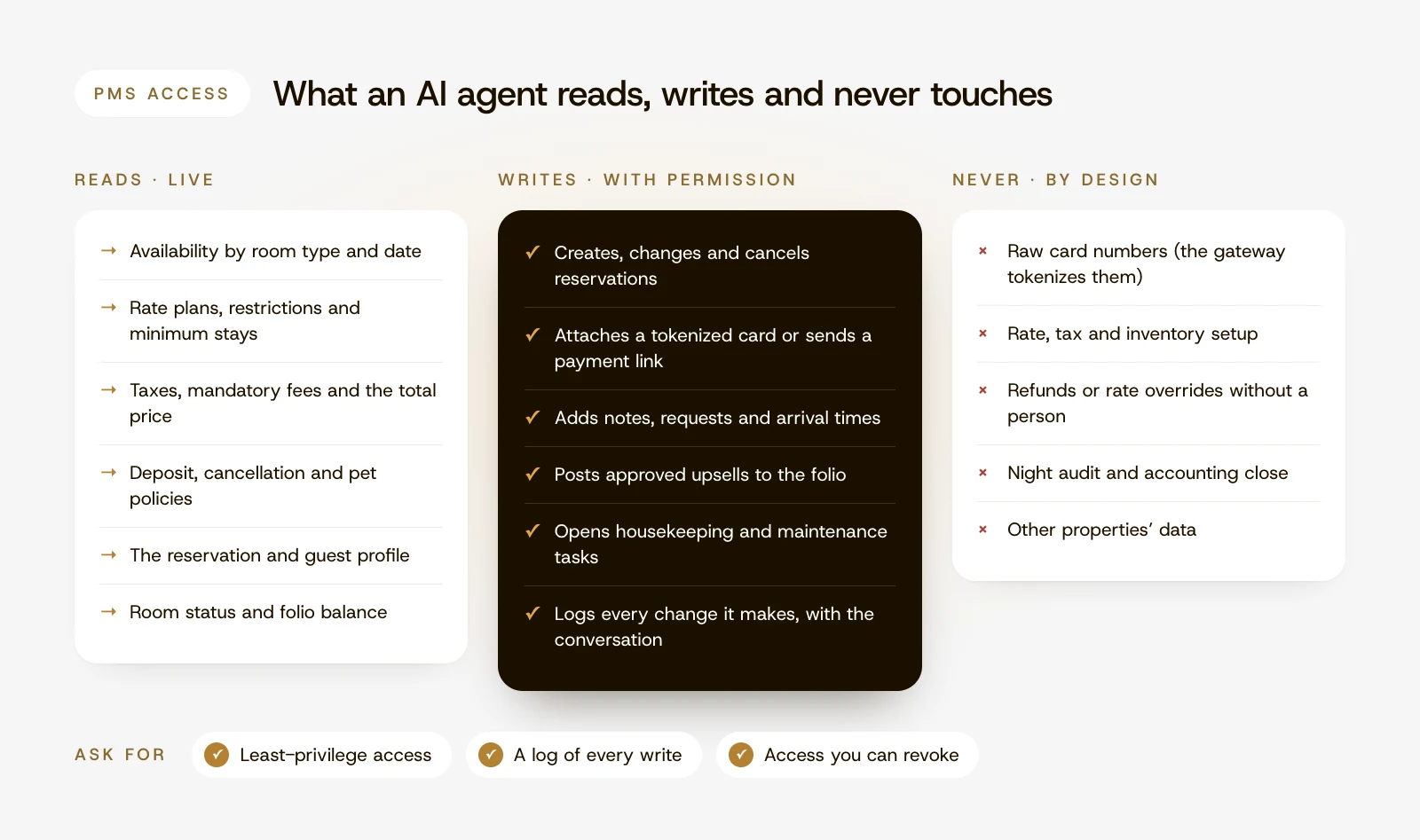
The access you grant decides what the AI can do. Without PMS access it can only answer general questions and take messages. With read access it can quote live rates and availability, and with write access it can book the room, change the dates and open the housekeeping task. The connection is usually the quick part. The decisions around it are what make an AI agent safe to leave alone at 2 a.m.
Key takeaways
The AI’s first job decides what it needs from the PMS. After-hours reservations need live availability, rates and the right to create bookings; in-stay messaging mostly needs to read the reservation.
Grant the smallest access that job needs, through a separate app and credentials for each agent, and keep payments in your gateway through tokens or payment links.
Each PMS connects differently. OPERA Cloud runs through Oracle’s integration platform, where the app-key owner pays per API call; Mews, Cloudbeds and Apaleo connect through their own marketplaces, each with its own credentials, rate limits and certification rules.
The AI quotes what your PMS holds. Clean up rate plans, restrictions, taxes and mandatory fees first, and make the AI quote the total price.
Never let the AI confirm a booking until the PMS has accepted it, and test repeated requests, sold-out dates and outages in a test property before guests reach it.
For the first two weeks, reconcile every AI-created booking against the PMS each morning.
How to Set Up AI With Your PMS in 9 Steps
These steps apply whether the AI answers phones, replies to messages or runs back-of-house work. Plan on one owner at the property, usually the general manager or front office manager, plus whoever administers the PMS. Steps 3 and 5 depend on how your PMS connects and how much access you grant; both are explained in detail after the steps.
1. Pick the First Job and the Number That Proves It Works
Start with one job that has a clear before-and-after number. After-hours reservation calls make a good first job: missed calls are easy to count and each recovered booking has a value. Write down the baseline: missed calls per week, after-hours bookings, average response time or rooms rekeyed each morning. If you are still choosing, our guide to AI for hotels covers the seven main uses.
The job decides the access. In the PMSs’ own API terms, a booking agent needs to read availability and price and create reservations; a check-in agent needs check-in calls; a housekeeping agent needs to update room status; an upsell agent needs to post charges or orders to the folio.
2. Map Your Systems and Versions
List every system the job touches and who administers it:
The PMS, its version and whether it is cloud or on-premise
The channel manager and booking engine, if they are separate from the PMS
The payment gateway and whether it can tokenize cards or send payment links
The phone system, if the AI will answer calls, and how calls transfer to staff
Door locks, housekeeping and maintenance tools, if the job reaches them (our hotel automation guide covers the order to connect them)
Owner accounting and owner reservations, if you run a condo hotel or another rental program (see AI for condo hotels)
This list tells the vendor which integration paths it needs and exposes problems early, such as a booking engine that sells a rate plan the PMS does not hold.
3. Choose the Connection Path and Confirm Costs
Ask the AI vendor whether it already has a live, certified integration with your PMS and version, and whether it reads only or reads and writes. Ask who pays the API meter: on OPERA Cloud, the app-key owner pays per call, while Mews and Stayntouch say they do not charge for API access. If the vendor has to build a new integration, budgets climb: Stayntouch puts simpler integrations at $3,000 to $8,000 each and complex two-way ones at $10,000 to $25,000 (Stayntouch). A listed integration with other properties already live on it is cheaper and lower risk. The PMS-by-PMS comparison below shows how OPERA Cloud, Mews, Cloudbeds, Apaleo and others connect, what to check before go-live and, where the vendor publishes them, their API charges.
4. Clean the Rates, Fees and Policies the AI Will Quote
An AI quotes exactly what your systems hold, so old rate plans, unclear room names and missing fees turn into wrong answers at scale. Before go-live:
Choose which rate plans the AI may sell, and hide internal, group and negotiated rates.
Give room types names a guest understands, with bed types, occupancy and accessibility features.
Check restrictions such as minimum stays and closed-to-arrival dates, and keep the PMS’s own checks switched on: Mews, for example, by default refuses bookings on private rates and blocks overbooking.
Set up mandatory fees so the AI can quote the total price. The FTC’s fee rule for hotels and short-term rentals has applied since May 12, 2025, and its standard for clear disclosure covers audible disclosures by telephone (16 CFR 464.1).
Write down deposit, cancellation, pet, parking and early check-in policies in plain language.
5. Grant Least-Privilege Access
Approve the permissions the first job needs and nothing more, using the lowest of the four access levels below that lets the job work. Give each AI agent its own app and credentials: Oracle’s OHIP guidance is to register a separate application for each solution, and separate credentials let you see which changes the AI made and switch it off without touching staff logins. In a multi-property account, connect only the pilot properties; Apaleo’s fine-grained clients and Cloudbeds’ group connections both allow this. Confirm you can revoke access yourself. When a hotel disconnects an app, Cloudbeds requires the partner to “immediately terminate the API sessions” (Cloudbeds).
6. Keep Card Data Out of the Conversation
The AI should arrange payment, not hold card numbers. The safest patterns are a secure payment link sent by text or email, or card entry handled by your payment gateway, which returns a token attached to the reservation. Cloudbeds’ developer docs say that collecting card data “puts a partner’s environment in PCI DSS scope at that step” (Cloudbeds), and the PCI Security Standards Council’s telephone-payment guidance says pausing a call recording “does not reduce PCI DSS applicability to the agent, the agent desktop environment, or any other systems in the telephone environment” (PCI SSC). PCI DSS v4.x added 64 new requirements, 51 of them effective from March 31, 2025 (PCI SSC). Ask the vendor to show where card data goes, step by step.
7. Write the Rules and the Escalations
List what the AI may do on its own, what needs a person, and who that person is at each hour of the day. Typical rules for a reservations job:
Books only the approved rate plans, inside the property’s restrictions
Sends a confirmation only after the PMS has accepted the booking and the deposit is secured
Hands group requests, rate disputes, refunds and accessibility questions it cannot answer to staff with the conversation attached
Verifies the caller before sharing or changing an existing reservation
Makes changes to online travel agency (OTA) bookings through the OTA or staff, not directly
Tells the guest it is an AI when asked, and always offers a route to a person
Check local rules on AI disclosure and call recording too. Utah, for example, requires businesses to disclose AI use when a consumer clearly asks (Davis Polk), and California requires every party’s consent to record a confidential call (Penal Code 632).
8. Test in a Test Property, Then Run Shadow Mode
Run the test script below against a sandbox or test property if your PMS offers one, or a closed test room type if it does not. Note that sandboxes have quirks of their own: OHIP bills sandbox calls just like production ones, and its default partner sandboxes are shared with more than 1,300 companies, so other developers’ test bookings can appear and even create billable events. Then run shadow mode: the AI handles real conversations, but staff approve each booking before it is confirmed. PMS vendors build the same caution into their partner process: after certification, a new Mews Connector API integration typically runs for two weeks at a live pilot property before it is listed on the Mews Marketplace, and Cloudbeds requires 5 properties in a limited release before an app goes live on its Marketplace. Move to full autonomy for a workflow only when its error rate is near zero for a week.
9. Go Live in One Window and Reconcile Daily
Switch on one time window first, such as nights and weekends, when the gap is largest and the volume is manageable. For the first two weeks, compare every AI-created or AI-changed reservation with its conversation each morning: right dates, room type, rate, guest name, deposit and notes. Reconciliation also catches what integrations miss: OHIP’s streamed events have no delivery confirmation, and Cloudbeds and Hostaway webhooks can arrive out of order. Track the baseline number from step 1, the share of conversations handed to staff and every error, then widen the hours.
Why the PMS Connection Decides What AI Can Do
The PMS is the system of record. It holds which rooms are free, what each rate plan costs, which restrictions apply, who is in house, which rooms are clean and what each guest owes. Anything an AI tells a guest about availability or price has to come from it, and anything the AI does has to be written back to it. If it is not, a person rekeys the booking the next morning, and the “automation” has only moved the work.
Here is the same call handled at three levels of access:
A caller asks for two nights next weekend
What happens
What staff still do
No PMS access
The AI takes the caller’s details and promises a call back
Call back, check availability, quote, book and take the deposit
Read access
The AI confirms a king room is free and quotes the total price
Create the booking and take the deposit
Read and write access
The AI books the room, attaches the deposit through a payment link or token and sends the confirmation
Nothing, unless the request breaks a rule
Integration is one of the biggest barriers to hotel AI. Only 24% of hotels report full integration of their core systems, and 42% manage guest data in disconnected systems, according to a 2025 survey of more than 250 hotel IT decision makers by Starfleet Research, underwritten by IBS Software (Hotel Technology News).
Study finding
h2c’s AI Opportunity Study 2026 surveyed 113 hotel chains representing more than 8,200 properties. 91% already use AI, but only 28% have a company-wide AI strategy. The barriers cited most were a lack of AI expertise, training or skills (56%) and integration challenges with existing systems (38%).
“Integrated with your PMS” can mean anything from a nightly export to full read and write access. Ask which level a vendor works at, and grant the level that matches the job.
Level
What the AI can do
What it needs
What you must control
0 · Knowledge only
Answers policy and amenity questions; takes messages
Your website, FAQs and policies; no PMS access
It must never quote rates or availability
1 · Read
Checks live availability and rates, finds a guest’s reservation, answers “is my room ready?”
Read access to inventory, rates, restrictions, reservations and room status
Which guest data it sees, and identity checks before it shares reservation details
2 · Book
Creates, changes and cancels reservations; adds notes and requests; secures deposits
Write access to reservations, plus your payment gateway’s tokenization or payment links
Rate, deposit and cancellation rules, duplicate protection and a log of every change
3 · Operate
Also posts approved charges, updates housekeeping, checks guests in, opens tasks and issues door codes
Write access to folios, room status and tasks, plus lock and payment integrations
Per-action permissions, approval limits, an audit trail and a named owner for exceptions
A sensible path is to start reservations at level 2 and in-stay messaging at level 1, then move to level 3 one workflow at a time. Whatever the level, an AI should never handle raw card numbers or change your rate, tax and inventory setup. OWASP’s guidance on AI systems names the risk of granting too much as “excessive agency” and advises limiting the permissions AI extensions get in other systems “to the minimum necessary” (OWASP).
How AI Connects to the Major Hotel PMSs
A hotel almost never “builds” an AI integration. The PMS company publishes an API, the AI vendor builds against it and is certified or approved once, and each property switches the connection on for itself. On-premise systems are the exception: Oracle’s integration platform is only for OPERA Cloud customers, so on-premise OPERA 5 still relies on legacy interfaces such as OXI, OWS and HTNG (Oracle FAQ, Oracle). Ask any vendor for a reference on your exact version.
Here is how the main cloud systems work, from each vendor’s own developer documentation as of November 2026:
PMS
How the connection works
Worth knowing before go-live
OPERA Cloud
Through the Oracle Hospitality Integration Platform (OHIP). The vendor registers an app and requests access to the hotel’s environment, which the hotel approves. The vendor signs in with OAuth client credentials, or with an integration user on environments Oracle has not yet migrated. The hotel needs an OPERA Cloud Foundation or Central subscription.
The app-key owner pays API costs, about $20 per 10,000 calls above the 10,000 included each month (OHIP FAQ). Up to 50 requests per second per gateway, shared by every integration on it (OHIP limits). Streamed events have no acknowledgments and can arrive more than once, so dedupe and reconcile (Oracle).
The Connector API uses a client token for the vendor’s app and an access token for each property’s connection. Integrations can add, update and cancel reservations, add orders, update room state, add tasks and request payments.
Free for partners and Mews customers (Mews). 200 requests per access token every 30 seconds (Mews limits). After certification, a new Connector API integration typically runs for two weeks at a live pilot property before it is listed on the Marketplace (Mews).
Marketplace apps use OAuth or API keys. The property clicks Connect App and confirms the permission scopes on a consent screen. Apps can post reservations, housekeeping status, payments and custom items.
Failed webhooks are retried a minute apart, up to five attempts, and can arrive out of order (Cloudbeds webhooks). Marketplace go-live needs 5 properties in a limited release first (Cloudbeds integration guide). Collecting card data puts the vendor in PCI scope, so use payment links (Cloudbeds payments).
Apaleo
OAuth, through Apaleo Store apps or private apps. Apaleo recommends fine-grained clients, so the hotel chooses which properties an app can reach.
3,500 requests per minute per app and account, and a single reservation can be updated 20 times per 5 minutes. Store apps must use webhooks, not polling. (Apaleo docs, Apaleo certification)
OAuth credentials after agreements and certification. The hotel emails Stayntouch to authorize the vendor to access its production data.
Webhooks for events such as new reservations and check-ins. No charge for connections, certification or support. (Stayntouch, Stayntouch developers)
Guesty
OAuth client credentials, with tokens that last 24 hours. Integrations can create reservations, change dates and status, and handle tasks and messages.
15 requests per second, 120 per minute and 5,000 per hour, shared across the account’s API tokens. Official Marketplace partner integrations do not count against these limits. (Guesty docs)
Hostaway
OAuth client credentials. Integrations can create, update and delete reservations, block dates and send messages.
New reservations can be created only for direct, HomeAway and partner channels. Webhooks retry three times and can arrive out of order. (Hostaway docs)
Two practical consequences follow. First, on some PMSs an AI agent shares API limits with your other integrations: on OPERA Cloud, a chatty agent and a key-card system that also connects through OHIP draw on the same 50 requests per second. Second, where the PMS charges for API calls, as OPERA Cloud does, the cost sits with whoever owns the integration, so ask the vendor whether it is included in your price.
Where MCP Fits
The Model Context Protocol (MCP) is an open standard that Anthropic introduced in November 2024 for connecting AI models to tools and data through one common interface. Hospitality vendors are adopting it unevenly:
Apaleo launched what it called the first property management platform MCP server in September 2025 (Hospitality Net). It is now an open beta with about 260 tools, and its docs advise restricting tools or requiring approval (Apaleo, Apaleo MCP docs).
Guesty’s MCP server is in beta, and “during the beta, all tools are read-only” (Guesty).
SiteMinder offers a beta MCP server for its Channels Plus channel partners, with limits: held reservations expire after about 10 minutes, only fields that do not affect price can be changed, and only free-cancellation bookings can be cancelled (SiteMinder).
Cloudbeds’ MCP server is built for developers: it helps them find its APIs, try calls and write integration code, not run a hotel (Cloudbeds).
Mews’ developer docs offer an MCP endpoint, but only for searching its documentation. We found no official MCP server that works with hotel data from Mews, Oracle or Hostaway as of November 2026.
MCP changes how an AI calls your systems, not what it should be allowed to do. The PMS’s own authentication, rate limits, fees and approvals still apply, and the permission, payment and testing steps above matter just as much.
The Go-Live Test Script
Run each case by phone and by message. A case passes only when the PMS shows the right result, not when the AI’s reply sounds right.
Test
Example
Passes when
Simple booking
Two adults, two nights, king room
One reservation on the right rate plan, deposit secured, confirmation sent
Sold-out night
Stay spans a sold-out date
Alternatives offered; nothing booked on the sold-out night
Minimum stay
One night on a two-night-minimum Saturday
Rule explained; two nights offered
Closed to arrival
Arrival on a closed-to-arrival date
That arrival date refused; other dates offered
Total price
Room with a resort fee and taxes
Quoted total includes mandatory fees and matches the PMS
Date change
Move arrival by one night
Same reservation updated and repriced, not a second booking
Late cancellation
Cancel inside the penalty window
Penalty stated; cancelled only after the guest confirms
Repeated request
Guest says “book it” twice after a pause, or the call drops mid-booking
Exactly one reservation exists
Failed payment
Declined card or unpaid link
No confirmed booking without the guarantee; staff alerted if policy says so
Upsell charge
Late checkout added to the folio
Charged once, with tax posted once
OTA reservation
Change request on a booking made through an OTA
Routed per policy; nothing changed that the OTA controls
Group block
Caller asks for a room in a wedding block
Booked into the block or handed to sales
Identity check
Caller asks about someone else’s reservation
Nothing shared until the caller is verified
Accessible room
Guest needs a roll-in shower
Accessible room type booked or staff consulted; never a substitute without consent
Time zone
Booking at 1 a.m. for “tonight”
Arrival date correct in the property’s local time
PMS outage
PMS unreachable during a call
Details taken, guest told honestly, staff alerted; no “confirmed” without the PMS
Common Integration Problems and How to Fix Them
What you see
Likely cause
Fix
AI quotes a rate your website does not show
Different rate plans per channel, or derived rates not exposed to the AI
Map one sellable rate plan per room type for the AI and test parity
A room is sold twice, or a price is stale
The AI quoted from cached data; Mews, for example, suggests caching search-like responses for 30 to 60 seconds (Mews)
Check availability and price again at the moment of booking, and keep the PMS’s overbooking checks on
Duplicate reservations
A retry after a timeout created a second booking
Before creating a booking, look it up by the AI’s own reference; reconcile daily
Confirmation sent, but no booking in the PMS
The PMS write failed after the AI replied
Confirm only after the PMS accepts the booking
Tax charged twice on an upsell
The charge was posted with tax on a code where the PMS adds tax itself; on OPERA Cloud, tax-exclusive codes take the net amount (Oracle)
Map each charge type before go-live
Other integrations slow down
On PMSs with a shared rate limit, such as OPERA Cloud, the AI agent uses the same limit
Set a call budget per agent and avoid polling
Bookings land on the wrong date
Local time converted to UTC shifted the date
Use the property’s local date for “tonight” and “tomorrow”
Staff cannot see what the AI did
No notes or labels on AI changes
Require a note on every write, and give the AI its own app and credentials
Card numbers in transcripts
Payment taken by voice without masking
Switch to payment links or gateway tokenization and redact old logs
Questions to Ask Your AI Vendor and Your PMS
Is the integration live and certified with my PMS and version today?
Ask for a property you can call that runs the same setup.
Does the AI read only, or read and write?
Ask which records it can create or change: reservations, notes, folios, room status, tasks.
How fresh is the availability and price it quotes?
Ask whether it checks live at the moment of booking or relies on a cached copy.
How do you prevent duplicate and phantom bookings?
Ask to see a repeated request and a dropped call in the demo.
Who pays for API calls, and how do you stay inside the PMS’s rate limits?
On some PMSs the integration owner pays per call, and limits are shared with your other systems.
Where does card data go?
The right answer keeps raw card numbers out of the AI’s transcripts and storage.
What can I see afterwards, and how do I switch it off?
Ask for the log of each change with its conversation, and confirm you can revoke access yourself, immediately.
Who fixes it at 2 a.m.?
Ask who monitors the integration, how failures are detected and how fast someone responds.
Dextr AI is an AI workforce platform for hospitality. Its agents answer calls and guest messages, book, change and cancel reservations, take deposits and run housekeeping and maintenance work inside the PMS a property already uses. It has more than 60 live integrations, more than 50 of them property management systems, including OPERA Cloud, Mews, Cloudbeds, Stayntouch, ResNexus, Apaleo, RMS Cloud, Hostaway and Guesty. One of those integrations, Calry, reaches more than 40 vacation-rental systems through a single connection. The full list is on the integrations page.
A forward-deployed engineer connects the systems for each property, so the hotel does not need its own integration team. Go-live takes seven days from kickoff, and the PMS and payment connection happens on day 3. On Cloudbeds, for example, an admin approves Dextr AI from Account > Apps & Marketplace, and the Cloudbeds setup guide lists what the integration can and cannot do. Cloudbeds stays the system of record, and Dextr AI does not change rates, taxes, fees, inventory or restrictions unless the property enables it.
Dextr AI never stores raw card numbers: the payment processor tokenizes them. Data is encrypted in transit and at rest, kept separate for each property and never used to train AI models, and every action is recorded in an audit trail. Dextr AI is PCI and GDPR compliant, and working towards SOC 2 Type II. The responsible AI page has the detail.
The Bottom Line
Connecting AI to your PMS is mostly a set of decisions: which job comes first, what the AI may read and write, who pays for and polices the API, how payments stay tokenized, and how you will know it worked. Choose a vendor that is already live and certified on your PMS, grant the least access the job needs, test the edge cases and reconcile daily until the numbers hold. Dextr AI connects to more than 60 hospitality systems and goes live in seven days, with the PMS and payment sync on day 3.
Frequently Asked Questions
How do I integrate AI with my hotel PMS?
Choose an AI vendor that already has a live, certified integration with your PMS, approve its access through the PMS marketplace or partner program, grant only the permissions its first job needs, clean your rates and policies, test the edge cases, run in shadow mode and reconcile its bookings daily for the first two weeks.
What is a PMS in a hotel?
A property management system (PMS) is the hotel’s system of record for reservations, rates and availability, guest profiles, room status, check-in and check-out, and folios. Examples include OPERA Cloud, Mews, Cloudbeds, Apaleo and Stayntouch.
What is an API in hotels?
An API (application programming interface) is the documented way one hotel system lets another read or change its data, for example how an AI agent checks availability or creates a reservation in the PMS without a person rekeying it.
How long does PMS integration take?
When the vendor is already certified on your PMS, connecting a property is a short step inside the rollout: Dextr AI goes live in seven days per property, with the PMS and payment sync on day 3. Building and certifying a new integration takes far longer, because many PMS vendors require pilots. After certification, a new Mews Connector API integration typically runs for two weeks at a live pilot property, and Cloudbeds requires 5 properties in a limited release.
How much does a PMS integration cost?
It depends on the PMS and who builds it. Mews and Stayntouch say they do not charge for API access, while on OPERA Cloud the app-key owner pays about $20 per 10,000 calls above the 10,000 included each month. Stayntouch puts a new integration at $3,000 to $8,000 for a simple one and $10,000 to $25,000 for a complex two-way one, so a vendor that is already integrated is usually cheaper.
Is it safe to give an AI agent write access to my PMS?
It can be, with limits: grant only the permissions the job needs, use a separate app and credentials so you can see which changes the AI made, keep card data tokenized, require human approval for refunds and rate overrides, and keep a log of every change the AI makes.
Can an AI agent take payments through my PMS?
Yes, if it uses your payment gateway: a secure payment link or gateway card entry returns a token that is attached to the reservation. The AI should never see or store raw card numbers.
Does AI work with OPERA Cloud, Mews and Cloudbeds?
Yes. OPERA Cloud connects outside software through the Oracle Hospitality Integration Platform, and Mews and Cloudbeds through their marketplaces and APIs. Dextr AI has live integrations with all three, plus Apaleo, Stayntouch, RMS Cloud, Hostaway, Guesty and more than 50 other systems.
What is MCP, and do I need it?
MCP (Model Context Protocol) is an open standard for connecting AI models to tools and data. Some vendors, such as Apaleo, offer MCP servers, often in beta. You do not need it to connect an AI agent to your PMS, and it does not replace permissions, payment controls or testing.
Will an AI agent double-book rooms?
It should not, if it checks live availability at the moment of booking, looks up its own reference before creating a booking, confirms only after the PMS accepts it and keeps the PMS’s overbooking checks on. Test a repeated “book it” and a dropped call before go-live.
Growth and search specialist with hands-on experience in the AI sector. Covers AI agents, voice AI and automation, and how businesses evaluate and adopt them.
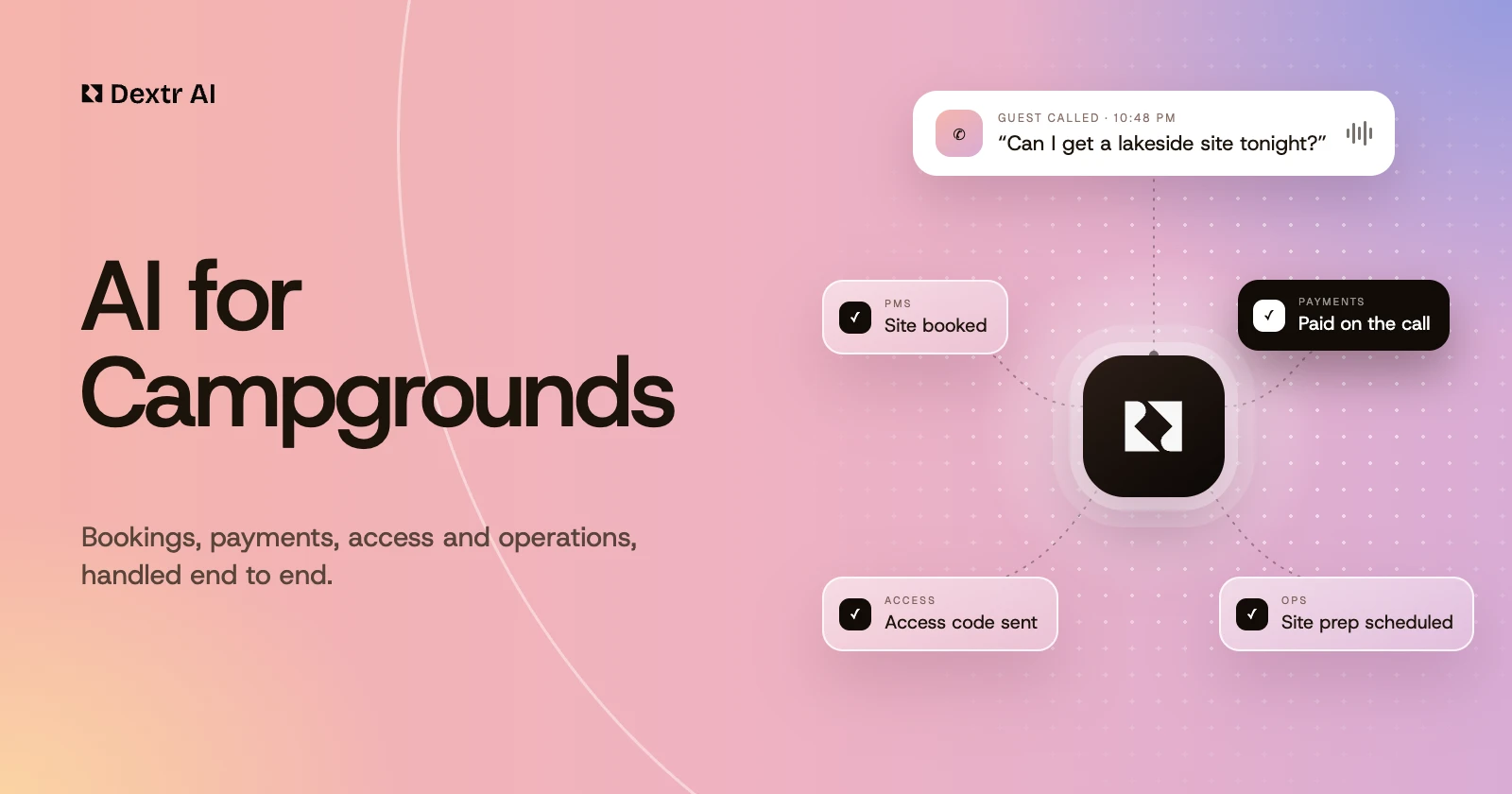
Campers call and text at all hours, and most campgrounds run on a lean front desk. How AI agents can book sites, take payment, send access codes, route site prep and keep guests informed when the weather turns.
RV parks get questions hotels never do: rig length, amperage, pull-throughs, monthly rates. How AI agents can answer them, book and take payment on the call, and leave the exceptions to your team.
Beyond the headlines about queues and dynamic pricing: how AI agents can sell tickets, handle season passes and group bookings, and answer guests at any hour, and what staff should keep.
Deepak Sharma · Read article
Ready to grow your business?
×
The demo scheduler is provided by HubSpot and uses functional cookies. Allow functional cookies to book a time here, open the scheduler on HubSpot's site, or use the Inquiry tab.